Skip to content
Guides

Getting started.

Short tours of the things you will do first. Step-by-step guides with screenshots are on their way; each one below is enough to get going, and we are an email away.

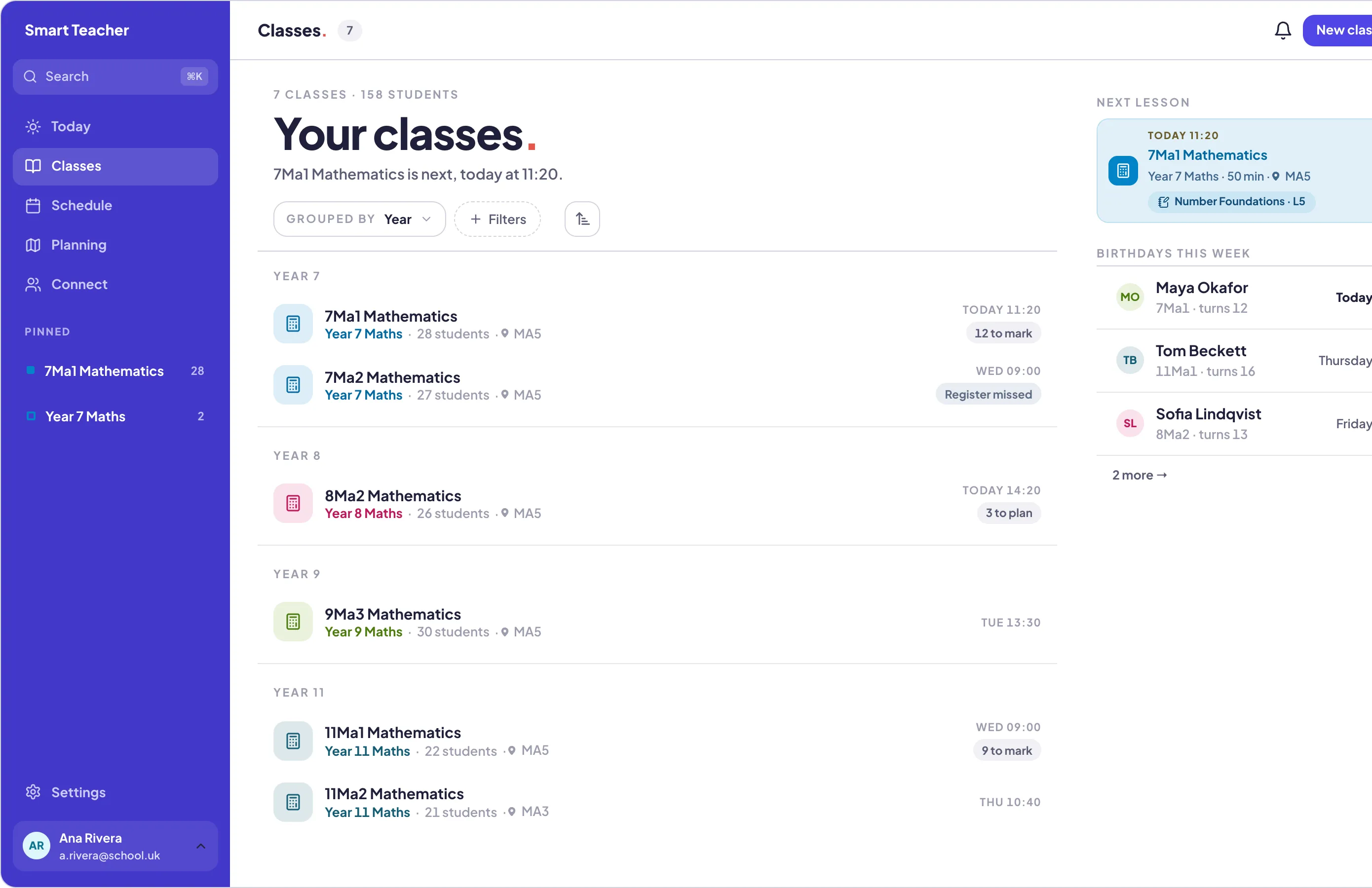
Smart Teacher on the web: the Classes list with four teaching classes
Web

1. Import your classes

Class lists from your school's system or a spreadsheet, in one go.

  1. 1 Open Classes on the web and choose Import.
  2. 2 Drop in your class lists as a spreadsheet or CSV.
  3. 3 Match the columns, check the preview, import. Every class arrives with its pupils.
Web · Android

2. Add pupils

By name, one at a time, or a whole class at once with the importer.

  1. 1 Open a class and add a pupil by name.
  2. 2 Take a photo with the camera so the register shows faces.
  3. 3 Every pupil gets a page: attendance, marks, reports and notes together.
Web · Android

3. Set up your week

Once. Then Today fills itself in every morning.

  1. 1 Open Today. It asks for your school day: when it starts, when it ends, how lessons divide.
  2. 2 Tap each class onto the slots it meets.
  3. 3 That is the timetable. Holidays and one-off changes go in the same place.
Android · Web

4. Take the register

Under a minute, from the lesson on Today.

  1. 1 Tap the lesson on Today to open its register.
  2. 2 Tap a pupil for present, late or absent; add a reason if you want one.
  3. 3 Done. Attendance and patterns are tracked for every pupil.
Web · Android

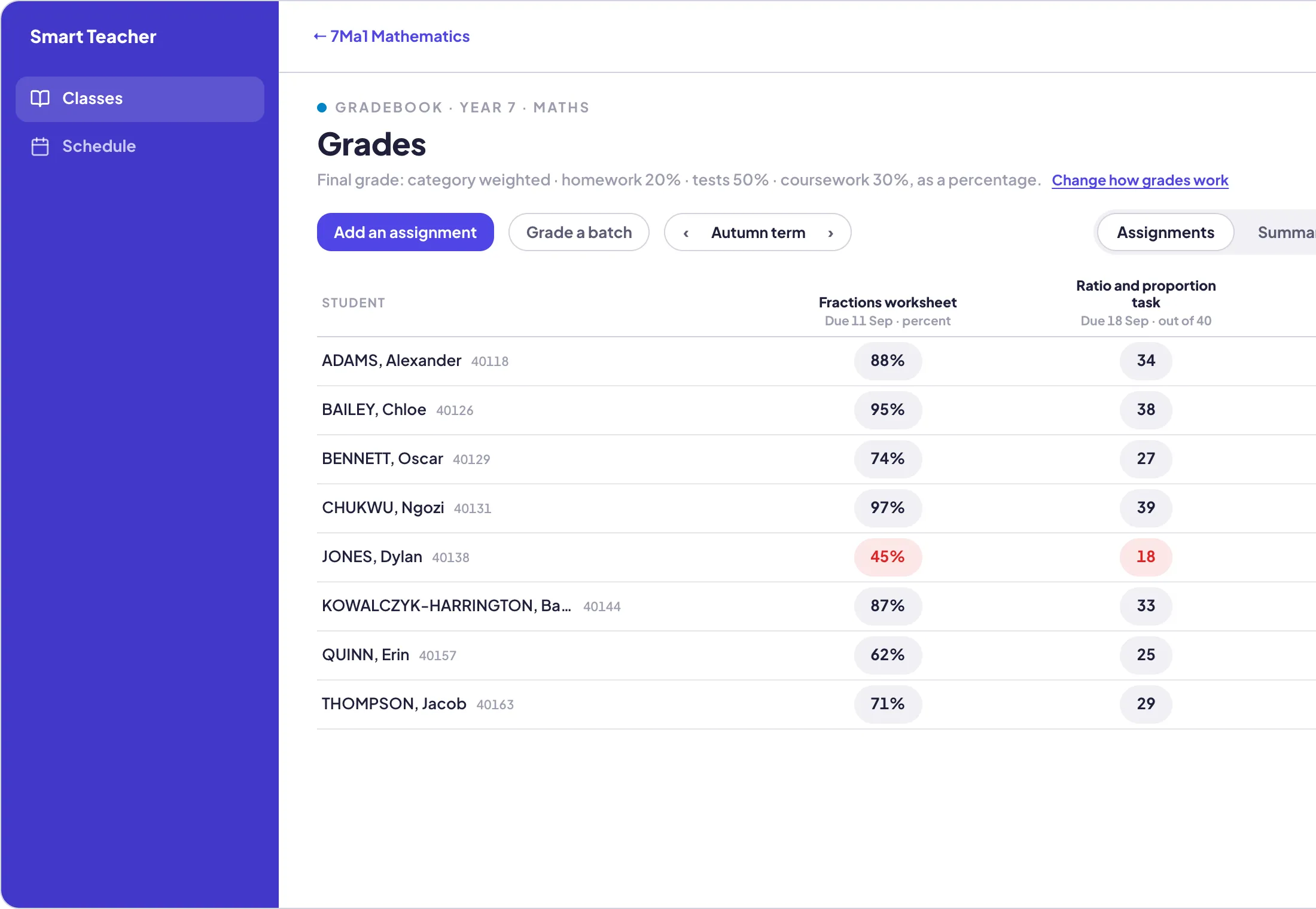
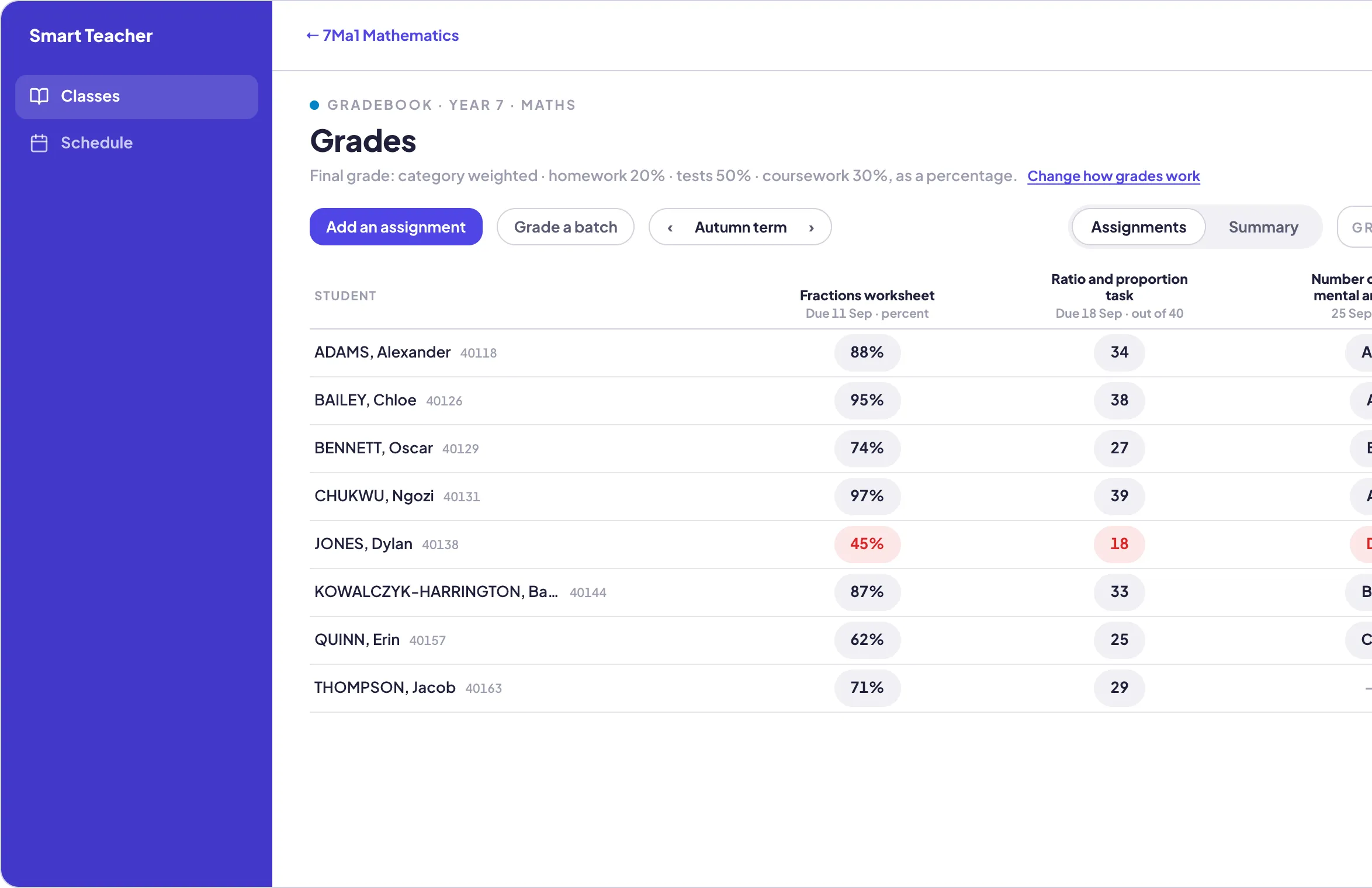
5. Keep the gradebook

Set up the grading once; the working grade looks after itself.

  1. 1 Set categories, weightings and the scale for the class.
  2. 2 Add an assignment and mark it in the grid.
  3. 3 The working grade updates as you go. Export to CSV any time.
Web · Android

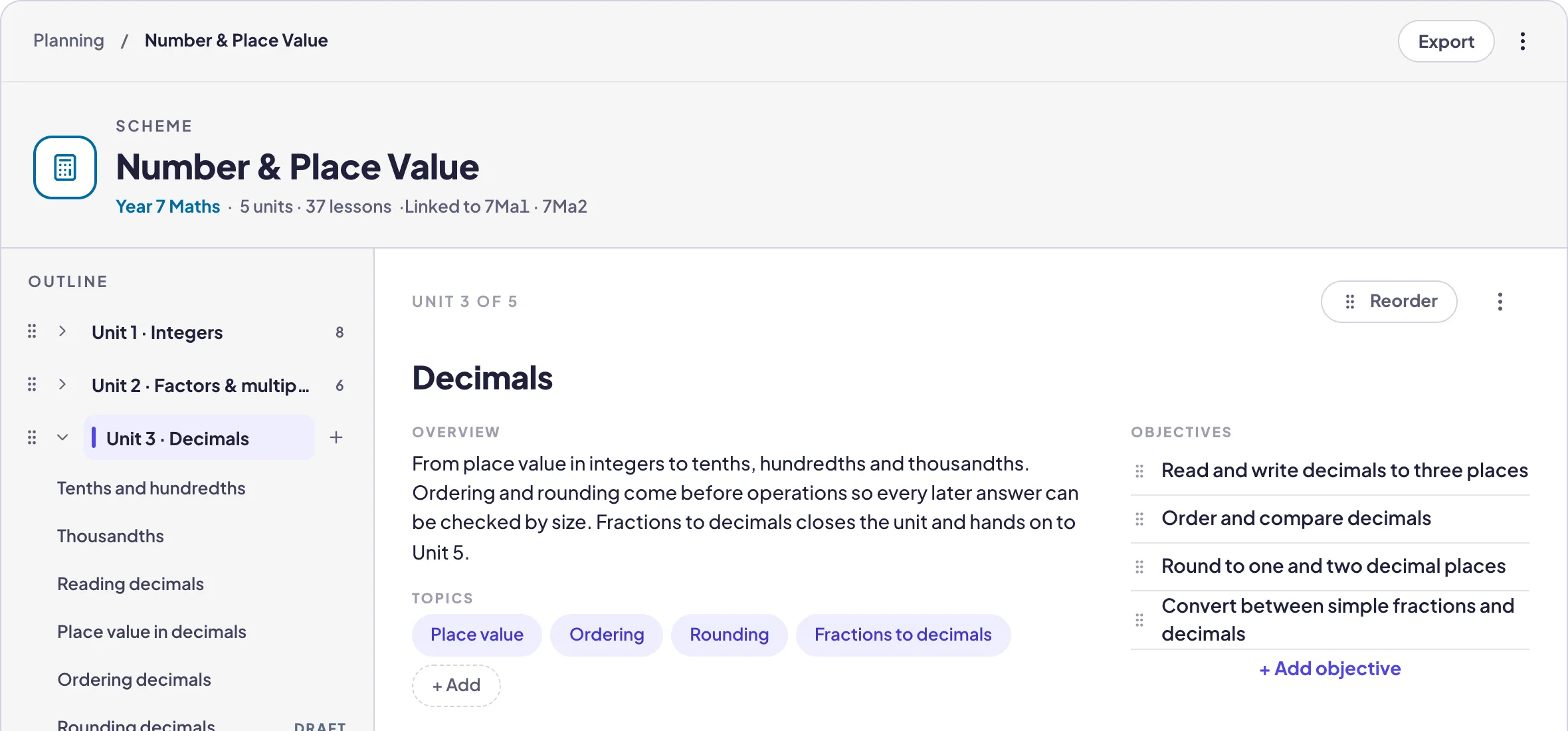
6. Plan with AI

A term in one pass, then any lesson in full.

  1. 1 In Planning, choose a class and tap Ask.
  2. 2 Say what you teach and for how long, then run it.
  3. 3 You get a scheme of units and lessons to make your own. Ask again on any lesson for a full plan.
Web · Android

7. Write reports

Drafted from what actually happened, checked by you.

  1. 1 Open a class, choose Reports and the period.
  2. 2 It drafts each pupil's comment from their real marks and attendance.
  3. 3 Read it, change a word, move to the next. Export when you are done.
Web · Android

8. Connect with families

One feed per class for the things parents should see.

  1. 1 Open Connect and post to the class feed: announcements, updates, photos.
  2. 2 Invite families; they follow along.
  3. 3 Everything stays with the class, not in a group chat.
What it looks like

The gradebook and the scheme, on the web.

The same screens are on your phone. Set up on the laptop if you like typing; teach from the phone.

The gradebook for a class on the web: categories, weightings and a working grade per pupil
A scheme page on the web with a unit open and the lesson document beside it
Stuck?

Ask a person.

Smart Teacher is built by a former teacher and answered by one. Tell us what you were trying to do and we will get you there, usually the same day.

Try it with one class.

Start free

No card. Free for three classes, for good.